en
 fr
 ru
 es
 ar

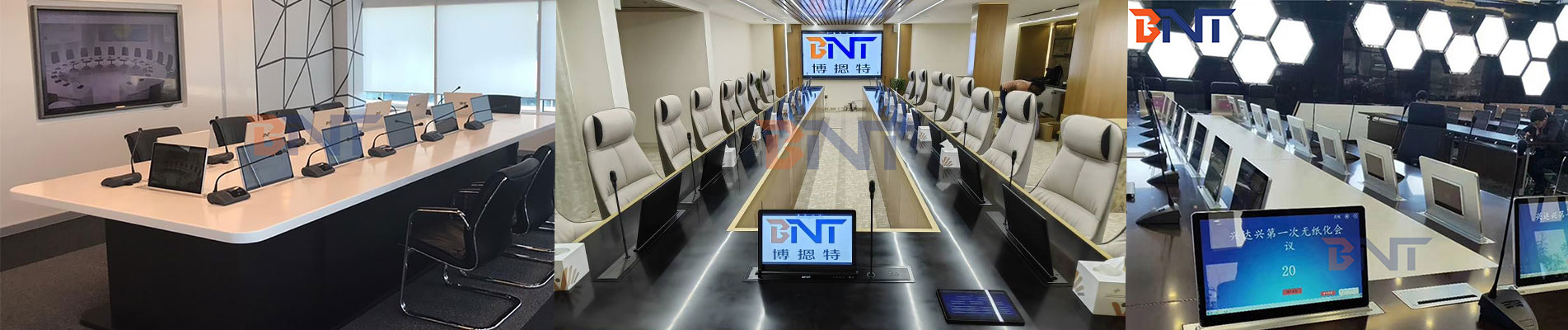
Conference Table Power and AV: A Specification Checklist
Oct 26, 2026Direct answer: a conference table needs one power point per two seats plus a shared AV plate at the cable entry point, and the plate should close flush so the table can be used without power. Specify the port mix before the table is cut: HDMI and VGA for legacy projectors, USB-C for current laptops, and a network port if the room is wired.
Most failures in this category are not electrical. They are decided at the drawing stage: the cut-out lands where a leg or a stiffener sits, the plug bodies cannot clear the closed lid, or the AV plate arrives after the top has been veneered.
A six-seat table with two outlets sends four people looking for a floor box. A twelve-seat boardroom with twelve outlets spends money on capacity nobody uses and adds clutter to the top. The ratio that holds up in practice is one AC outlet per two seats, positioned so that each pair can reach one without passing a cable across the table.
Add one USB-C port per seat if the room is used for hybrid calls: laptops and phones charge from USB-C, and it removes the adapter from the AC count.
| Port | Why it is still specified | Note |
|---|---|---|
| HDMI | Standard on current displays and laptops | Allow a short pigtail so the plug sits below the plate |
| VGA | Installed projectors and legacy laptops | Cheap to include at build stage, expensive to retrofit |
| USB-C | Current laptops, phones, conference cameras | Pass-through for data; do not confuse with USB-C charging |
| Network (RJ45) | Wired presentation and guest access | Two ports cover presenter plus guest |
| 3.5 mm audio | Analogue feeds and assistive listening | Often omitted and then missed |
A plate that combines power and AV in one housing removes a second cut-out and a second lid. The pop up conference table outlet with HDMI, VGA and network is an example: two US outlets, HDMI, VGA, two network ports, USB and audio on one flip-open plate in zinc alloy.
Three measurements decide whether the plate works: the cut-out size, the clear depth under the top, and the height the mechanism rises above the surface. A pop up column needs a clear cylinder below; a flip-open plate needs only a shallow cavity but must not foul a table leg or a stiffener.
Closure matters more than it sounds. If the lid cannot sit flush, the table is permanently compromised for dining or display use, and nobody will close it. Test with plugs inserted, not on an empty plate: a large laptop adapter is the part that usually blocks the lid.
Examples across the range: motorized pop up outlet with four AC outlets and wireless charging, flip over desk socket with three outlets, and the pneumatic pop up table outlet.
Specify how the cables leave the plate before the table is built. Options are a cable basket under the top, a leg with an internal channel, or a floor grommet aligned with the plate. A plate with power and AV but no route for the cables ends up with a bundle hanging under the table, which is the failure mode everyone recognises and nobody specifies against.
Where the table is not fixed, put the power in the floor instead: a hidden floor outlet with two US outlets and a network port keeps the connection at the stable plane.
Plan one AC outlet per two seats for hybrid meetings, plus one USB-C port per seat if laptops and phones charge over USB-C. Round up rather than down: unused outlets cost less than a room that cannot run a full meeting.
Yes where the table layout allows. One plate means one cut-out, one cable bundle and one closure mechanism, and it removes the second lid that nobody closes properly.
If visiting presenters use the room, yes. VGA is inexpensive at build stage and awkward to add later once the top is finished.
Usually yes, by cutting a plate opening and routing cables through a leg or a floor grommet. Confirm the clear depth and the stiffener positions before cutting.
BNT manufactures conference table outlets, pop up sockets and floor boxes in Guangzhou for office fit-out and hospitality projects. Send us the table drawing, the seat count and the port mix you need, and we will confirm the plate layout and the cut-out drawing.
Tel : +86 -18680577415
Email : sales@boentes.com
Whatsapp : +86 -18680577415
Skype : ivy-boente
Building 1, No. 30 Guanghua 6th Road, Xinya Street, Huadu District, Guangzhou City


© 2026 Guangzhou Boente Technology Co., Ltd..
Friendly Links :
PRO1 Adapters